Major Stations
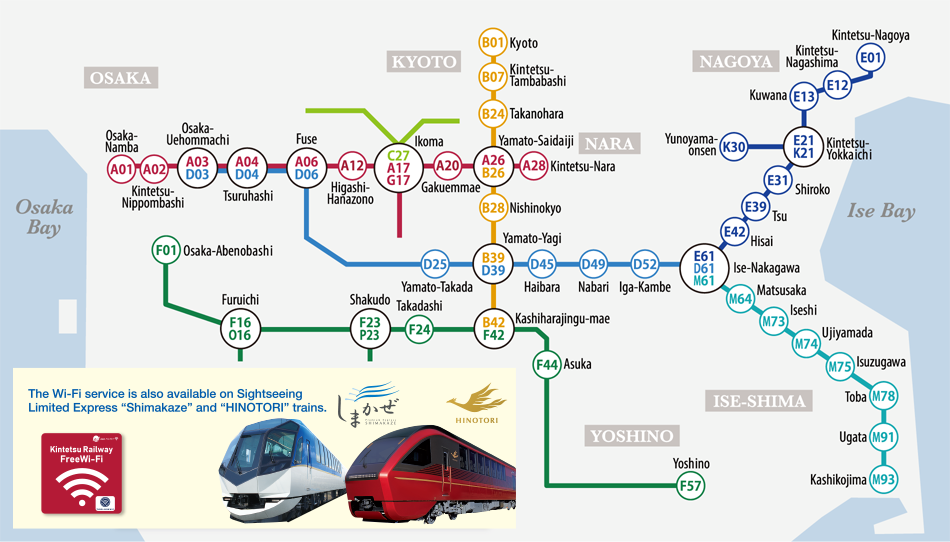
| Osaka-Namba | A01 | Kintetsu-Nippombashi | A02 | ||||
|---|---|---|---|---|---|---|---|
| Osaka-Uehommachi | A03 | D03 | Tsuruhashi | A04 | D04 | ||
| Fuse | A06 | D06 | Higashi-Hanazono | A12 | |||
| Ikoma | A17 | C27 | G17 | Gakuemmae | A20 | ||
| Yamato-Saidaiji | A26 | B26 | Kintetsu-Nara | A28 | |||
| Kyoto | B01 | Kintetsu-Tambabashi | B07 | ||||
| Takanohara | B24 | Nishinokyo | B28 | ||||
| Yamato-Takada | D25 | Yamato-Yagi | B39 | D39 | |||
| Haibara | D45 | Nabari | D49 | ||||
| Iga-Kambe | D52 | Osaka-Abenobashi | F01 | ||||
| Furuichi | F16 | O16 | Shakudo | F23 | P23 | ||
| Takadashi | F24 | Kashiharajingu-mae | B42 | F42 | |||
| Asuka | F44 | Yoshino | F57 | ||||
| Kintetsu-Nagoya | E01 | Kintetsu-Nagashima | E12 | ||||
| Kuwana | E13 | Kintetsu-Yokkaichi | E21 | K21 | |||
| Shiroko | E31 | Tsu | E39 | ||||
| Hisai | E42 | Ise-Nakagawa | D61 | E61 | M61 | ||
| Matsusaka | M64 | Iseshi | M73 | ||||
| Ujiyamada | M74 | Isuzugawa | M75 | ||||
| Toba | M78 | Ugata | M91 | ||||
| Kashikojima | M93 | Yunoyama-onsen | K30 |
How to Connect
Kintetsu Railway
Free Wi-Fi
1
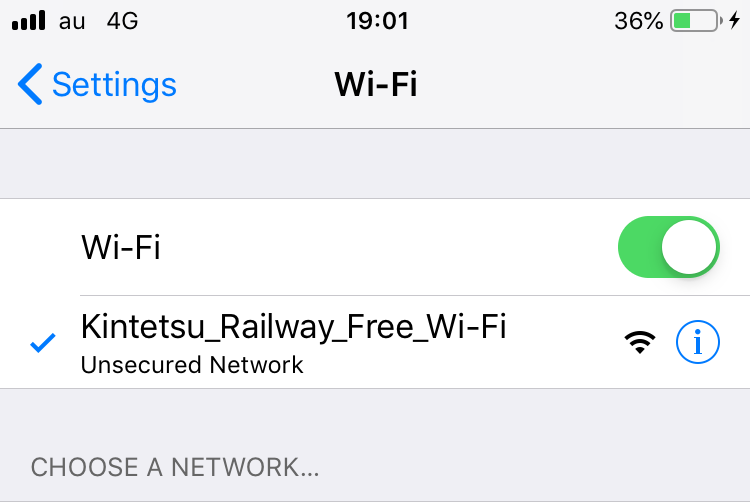
Tap on "Settings".
Turn on "Wi-Fi," and select "Kintetsu_Railway_Free_Wi-Fi" or "Kintestu_Railway_Free_Wi-Fi2" from the list.
Return to the top page and tap on "Browser".
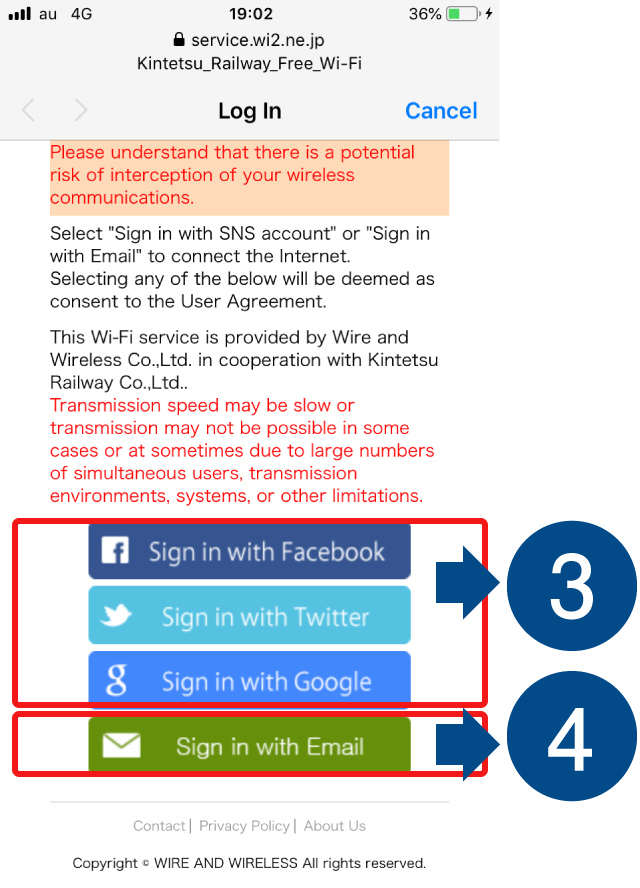
3
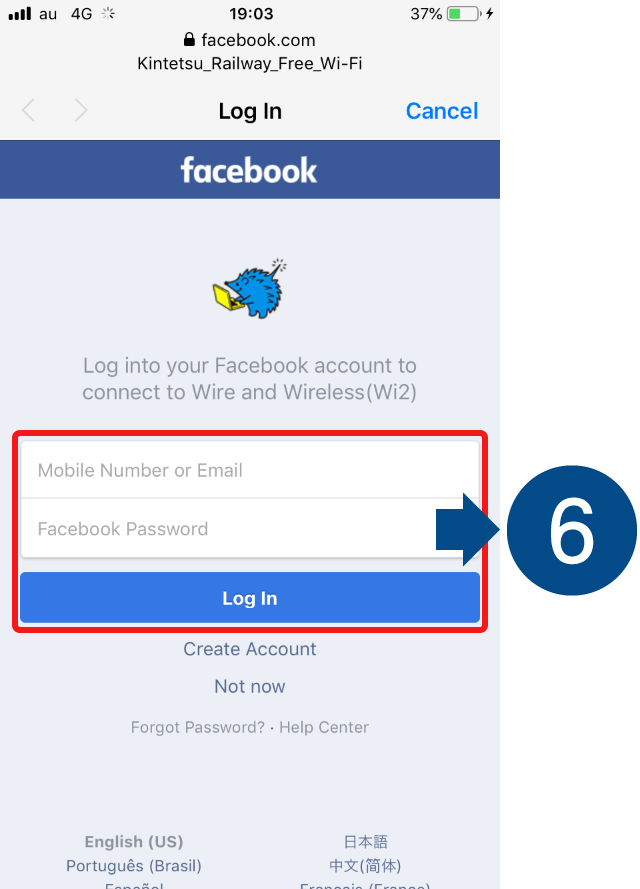
Log in with an SNS account
Enter your ID and password on either of the login screens to complete verification.
4
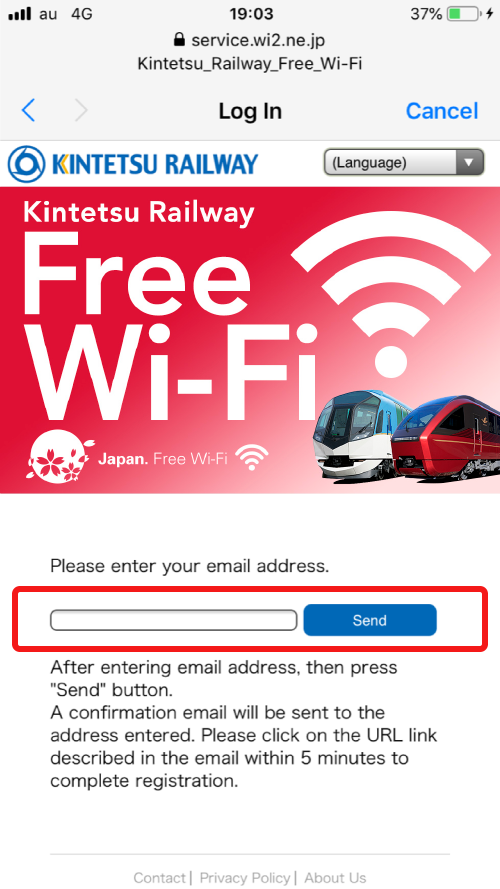
Log in with an email address
Enter your email address and tap "Send" for temporary registration.
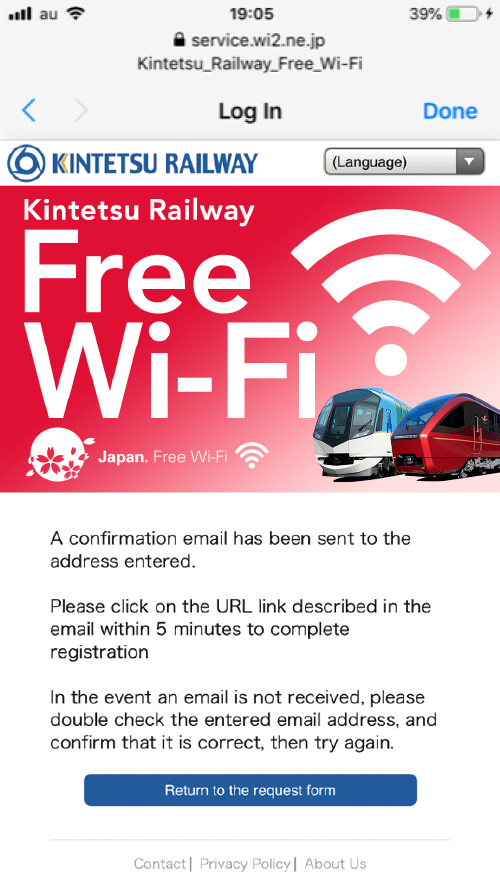
5
Tap the URL in the email that was sent within the last 5 minutes. for permanent registration.
6
You can now use the internet.